Harry Potter Books are Now Available Legally for Kindle

Pottermore
Pottermore (Photo credit: Wikipedia)

JK Rowling is late to the ebook game.  And she still has not really bought into it completely.  But it is now possible to get the Harry Potter books on your kindle legally.  It is not as easy as it should be.  But Rowling has created her own store, requiring a you be redirected to the Pottermore site and then buy it there.

What I do like is that you buy it at the Pottermore site and it is available in multiple formats (readable both on Kindle and Nook and other ebook readers.)

Read more

How to Reset Your Place in a Kindle Book

Sometime earlier this week Amazon made a small little change that will be very helpful to people that share a kindle account with several people or like to re-read books.  In the past there was no way to reset your place in a kindle book.  Once you finished the book, the book was finished for … Read more

Why ebooks may save some authors from extinction

Five Smooth Stones: A NovelAs I have been publishing free ebook posts over the past month.  I have started seeing a trend that I have not noticed before.  A number of authors, many in that mid range (you have heard of them, but they don’t sell millions of books) are taking back the digital rights of their books.

In some cases this is easy because digital rights were not in the original contracts (many of these books were published in the 1970-1985 range).  In other cases there are some clauses in the original contract that specified terms (usually out of print in paper and/or a buy-out amount).

Read more

Burned by Digital Media

Amazon Kindle
Image by agirregabiria via Flickr

I am a fan of digital media.  I prefer my kindle to paper books.  I haven’t purchased a physical CD in a while.  I no longer have a CD-rom on either my computer or my wife’s computer.  I have whole-heartedly bought into the digital system of media.

In spite of this, I am alway frustrated when simple actions with physical media are no longer simple with digital media.

On the good side, digital media allows for cheap distribution, easy updates and a wide variety of creators.  I can upload a book to Amazon and sell it.  Someone can let me know a mistake, I can make a change and then send that change to Amazon and Amazon can send out updates to anyone that wants one.  On the whole I think that is great.

The problem is that sometimes publishers, instead of updating the file, remove the book and submit a new book.  The old book then gets orphaned.  Yesterday I went to loan a Kindle book to someone. When I tried, I just got referred to an Amazon 404 page.  Eventually after emailing and chatting with Amazon help I discovered that this is what happened for the book I was trying to lend.  It was a good book that I wanted to lend to someone.  After 30 minutes on email and chat and then drafting this post, I got a request to borrow a book from Lendle and again, another book I wanted to lend, that I have a legal copy to and I purchase with the rights to lend, had been orphaned by the publisher, and my lending rights removed.

Read more

Send to Kindle App (For Windows PCs)

Amazon released an app to make getting your documents from your computer to your kindle just a bit easier.  It only works on Windows PCs, but seems to work well and I would guess that it will be released on other platforms soon. I frequently use email to send documents to my kindle, which is … Read more

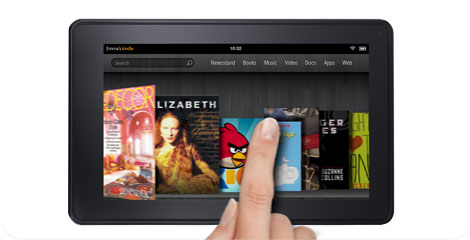
The Good, Mildly Frustrating and Bad About the Kindle Fire

I have not purchased a Kindle Fire for myself.  I have a Kindle with Keyboard and an iPad so I did not feel the need to buy a Kindle Fire.  But my Mother got one for Christmas, so I have spent a good bit of time over the last week playing with it, helping her use it and getting a good overall impression of its good and bad.

Conclusion

I will start with the end.  If you have an iPad you will not want to buy a Kindle Fire.  But if you would like a small tablets to watch videos, surf the web, do some occasional reading and play games, the Kindle Fire is a very good option.

The Good

The screen is quite good.  I watch some videos and they were sharp and clear.  It is a bit reflective but I did not think any more reflective than the iPad.  It will be hard to read in direct sunlight, but that is true with any LCD screen.

The interface is easy to use and the cover-flow idea works for people that are new to tablets.  I think it is easier to use than the standard Android system, especially for new users.

The speakers are mobile speakers, so you can’t expect huge sound, but they are sufficient.

The 7-inch size is much better for reading than the iPad.  If you are going to have an LCD screen (I really prefer eink for reading, see below) I think the 7 in size is the most natural.

Read more

Which Kindle to Buy for Christmas

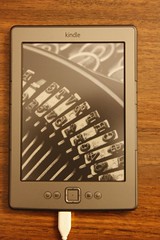
Left to right (Kindle Basic, Kindle Touch, Kindle with Keyboard, Kindle Fire)

A friend asked me this morning which Kindle she should buy for Christmas.

Here is my decision tree questions.  I added a flow chart at the bottom of the post.

1) Do you want to read on it or do you want a tablet?  The eink kindles (kindle 4, kindle touch, kindle with keyboard) are much better for reading.  Eink is much closer to reading a paperback.  All eInk devices are only black and white.  There are no color eInk devices available commercially.  If you need color you have to get an LCD screen.  The only advantage for reading on a LCD screen (like on the kindle fire) is if you read a lot at night.  The eink kindles have a nice light option for the kindle case, but that is an extra cost.  In general if you are reading primarily, get an eink.  If you want a tablet to do email, listen to music, watch videos and play games, you should get the Fire or iPad.  A small group of people (around 10%) have sleep problems from LCD screens (it seems to be from the backlight).  If you want a tablet, your only option is a Wifi only Kindle Fire.  If you want an eInk device (which I strongly recommend for anyone reading for long periods), keep reading.

Read more

Reading on the Rise – NEA Study

Takeaway: This is a very good time to be a reader.
The National Endowment for the Arts has been studying how Americans read since 1982.  Over that time there have been five different studies looking at how American read, what they read and how much they read.  The most recent study Reading on the Rise, was completed in 2009.

After reading Upside a couple weeks ago, I decided that I am going to be more vocal when people make public pronouncements about how bad the world is that do not happen to be true.

Right before Thanksgiving there was a blog discussion on Books and Culture’s website about Tony Reinke’s book Lit! (my review).  I think that Reinke’s books is decent, but that it does not really accomplish what it says it wants to to (move non-readers to readers).  It is decent about moving marginal and aspirational readers to better readers.  But in the midst of the discussion there was a question, “How then should we go about encouraging readers of books in a post-literate culture?”

I disagreed with the whole concept of the question.  I am all for encouraging readers, but I do not believe we are in a post-literate culture.  Both in the US and World-wide we have the highest literacy rates in history.  There are more full length books being published now than ever in history (surpassing 1 million English language books published a year right now.)  The third point is that I knew that there was a recent study that said that reading (of books) was up in all age, education, and racial groups.

Read more

Kindle Software Upgrades

Cover of "Kindle Wireless Reading Device,...
Cover via Amazon

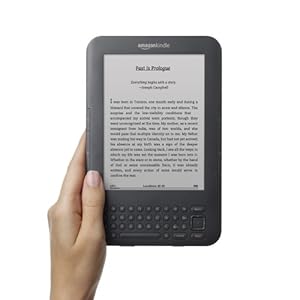
Over the past two weeks Amazon has been distributing the latest firmware upgrade (3.3) for the Kindle 3 (now called the Kindle with Keyboard).  There are several upgrades to the software.  According to the Amazon Press Release on their message boards these are the main features:

  • Download your archived Personal Documents on Kindle Keyboard: You can now view and download your archived personal documents to your Kindle Keyboard conveniently anywhere at any time. Your personal documents will be stored in your Kindle library until you delete them from Manage Your Kindle.
  • Whispersync for Personal Documents on Kindle Keyboard: Just as with Kindle books, Whispersync automatically synchronizes your last page read, bookmarks and annotations for personal documents (with the exception of PDFs) across the Kindle devices. Learn more about Kindle Personal Document Service on www.amazon.com/kindlepersonaldocumen
  • AmazonLocal deals on Kindle Keyboard with Special Offers: Kindle Keyboard with Special Offers users in many regions can now view,purchase, and redeem AmazonLocal deals directly from Kindle Keyboard — no computer, no printer, no hassle. AmazonLocal offers savings up to 75% off products and services from businesses in your city, national chains and online merchants. Learn more about AmazonLocal on www.amazonlocal.com.
  • Voice Guide Shortcut: Kindle Keyboard users can now quickly turn the Voice Guide feature on and off by holding the Shift key and pressing Spacebar.  Voice Guide reads aloud menu options, content listings and item descriptions. To learn more about using Voice Guide on Kindle Keyboard, visit Customize Your Reading on Kindle.

Read more

Lendle – A Kindle book sharing site

I am planning on doing a longer review of Lendle next week. But I wanted to do a short introduction and review now. One of the new features this year for Amazon Kindle is sharing. Amazon is late to the sharing game, but because Amazon is the largest ebook maker and seller, they have a … Read more