New Kindle Paperwhite Firmware

Amazon released new firmware for the 2nd Generation Kindle Paperwhite (5.4.2).  This firmware brings some promised features to the Paperwhite. Kindle FreeTimeFreeTime lets you create personalized profiles for kids, and give them access to titles from your collection of books. Kids can keep track of their personal reading progress and earn achievement badges. To learn … Read more

4 Kindle Tools You Should Use: Dictionary, Wikipedia, Translation, Content Errors

Obviously I am a fan of ebooks.  But I am a fan, not just because they are portable, are sometimes cheaper, or because they don’t take up shelf space.  I am a fan of ereaders because of the tools that they bring to reading.

There are three in particular that most ereaders have that everyone should use.

Dictionary – almost every ereader now has a built in dictionary.  For kindle all you need to do is touch the word (on touch screen kindles) or move the cursor to the word on non-touch screen kindles.  That will either pop up a dictionary or bring up an entry along the bottom of the page.  Everyone needs a dictionary at some point, so you might as well get used to using it.  The new Kindle Paperwhite also has a flashcard game that uses the words that use lookup in your dictionary to help teach vocabulary.

Wikipedia – Everyone knows that Wikipedia should not be used to write papers.  But it is a good enough system to give a good overview of almost anything.  On the new Kindles the wikipedia is a tab on the dictionary popup.  So if there is not a good definition in the dictionary then you should try wikipedia.  It is particularly helpful with names and places.
Read more

Borrowing a Book from Amazon Prime Lending Library

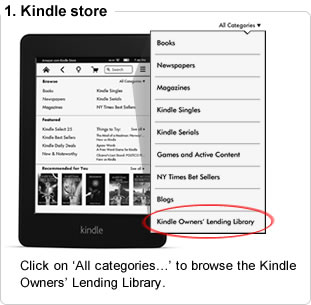
On twitter I was asked about the likelihood of Amazon getting an Oyster-like feature (all you can read ebooks for a monthly fee.)  I think the ‘all you can read’ system, like Oyster, has a pretty low chance of ever being offered on Amazon.  But Amazon does have the Amazon Prime Lending Library. (Sometime referred to as the Kindle Lending Library or KLL).

Many people tried out the Kindle Lending Library when it was introduced and have ignored it since.  When it started you could not search from a computer for Lending Library Books, and it only had about 5000 books to choose from.

Now there are more than 450,000 book, you can search from your computer (although still have to borrow from your kindle) and the quality of the books has gotten much better.

Here are a few hints and tips that has made the Lending Library easier for me to use.

1) Searching on the computer – it is still far easier to look for a book on your computer than looking on your kindle.  You can see all of the Prime Eligible books from this link.  From there click on the broad area you are interested in. For instance the 49,423 books in the Religion and Spirituality area.  Many of these books have been offered for free.  The biggest contributors to the library are independent authors.  But there are a lot more than just independent authors.

2) Use a wishlist – once you find a book you want (or if you randomly see a book doing another search) save it in a wishlist that you just use for Prime Lending.  I try to always keep at least 5 or 10 Lending Library books in a wishlist so that I do not have to scramble on the last day of the month.

Read more

Amazon Matchmaker

We found these audio companions for your Kindle booksYesterday evening Amazon announced their Amazon Matchmaker program. (h/t Goodereader and Gospel ebooks).
Amazon Matchmaker is a single location for Kindle books in your library that have Audible books that are matched through the whispersync program (where you can move back and forth seamlessly from audiobook to kindle book.)

I really like the concept of the whispersync.  I love audiobooks and as long as the price is not much more, I am willing to purchase both for the ease of being able to move between the kindle book and audiobook. (Plus I prefer to re-read a book in a different format.  So if I read first on kindle, I like to re-read on audio or vice versa.)

This is the first time Amazon has had all of the whispersync enabled books from your library in a single place.  I have tried to get this info several times previously.  When I asked Audible customer support they can told me what books that I already own on audiobook that have a kindle option.  But they can’t tell me what kindle books that I own have an Audiobook option.  And from Amazon’s side, they have told me that all I can do is go through my kindle books one by one from the Manage My Kindle page and look to see which one has the whispersync option.

So the fact that this is a one stop look is great news.  But the implementation is awful. At least it is awful for those of us Kindle users that have large libraries.  I have a large kindle book library (around 3500 kindle books and nearly 700 audiobook.)

Read more

New Paperwhite Review (2013)

I have spent the weekend with the new Kindle Paperwhite and I am ready for the final review.

Visually, it is almost indistinguishable from the first Paperwhite.  It has the exact same dimensions (so keep your cases). The only external differences is a very slight difference in the font that says Kindle on the front and on the back it says ‘Amazon’ instead of ‘Kindle’.  That is it, buttons are the same, case is the same.  Weight is supposed to be slightly less, but honestly I can’t tell a difference.

Screen

The light is the biggest feature of the Kindle Paperwhite and it is slightly better on the new version.  Dedicated eink Kindles are different from tablets (like the iPad or fire).  Tablets have color LCD screen that make light by shining it out at your face.  The Paperwhite has invisible threads of light running through the screen and shining it down at the text.  This means that there is much less light that comes out from the screen (although it is not zero) and that means much less wear on your eyes.  Personally, it makes a big difference.

The new lighted screen has a much less blue tint and is more white when the light is brighter and less gray when the light is low. There was a complaint about the first Paperwhite that you could never white turn off the light, but either you can now turn off the light or it is so low I can’t detect that it is on.  (Left is new Paperwhite, right is the original Paperwhite.)

Read more

New Kindle Fire Tablets

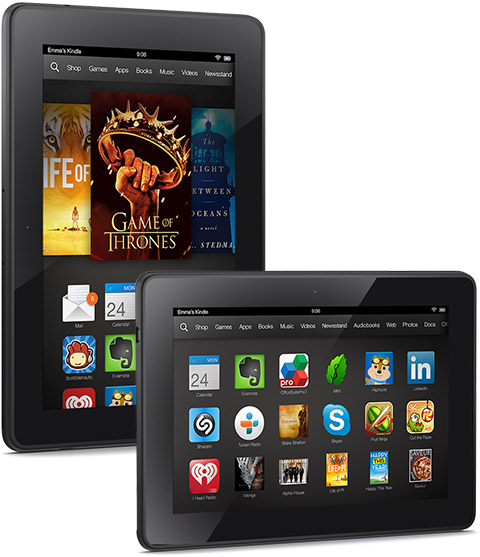
New Kindle Fire HDX

Overnight Amazon released three new Kindle Fire Tablets.

The Kindle Fire HD now starts at $139 making it the cheapest of the tablets, just $20 more than the new Kindle Paperwhite.  It will start shipping on Oct 2.  This is a slightly different version of the Kindle Fire HD that was released at $199 last year.  The processor is faster (1.5 GHz dual core instead of a 1.2 GHz dual core).  But the screen has the same specs.  It also comes with a smaller 8 or 16 GB of memory instead of the 16 or 32 GB of Memory from last year’s model.  Presumably to save money, it also has dropped the ambient light sensor, camera and microphone (so no Skype or video conferencing).  The battery is also rated at 10 hours instead of last year’s 11 hours and takes 2 more hours to fully charge.

Read more
